
Are you annoyed by receiving too many Gmail notifications from TikTok every day? Here's a quick guide to turn off TikTok notifications via Gmail on your phone!
 |
To quickly turn off TikTok notifications via Gmail, follow these three simple and easy steps:
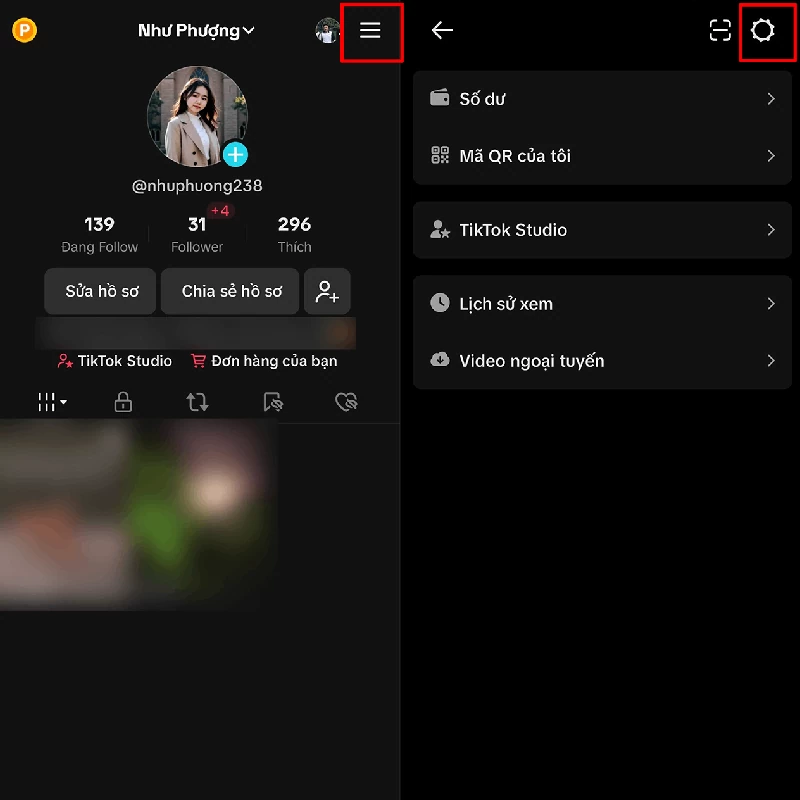
Step 1: First, open the TikTok app on your phone > Go to your profile page > Tap the three horizontal lines icon in the upper right corner to access Settings .
 |
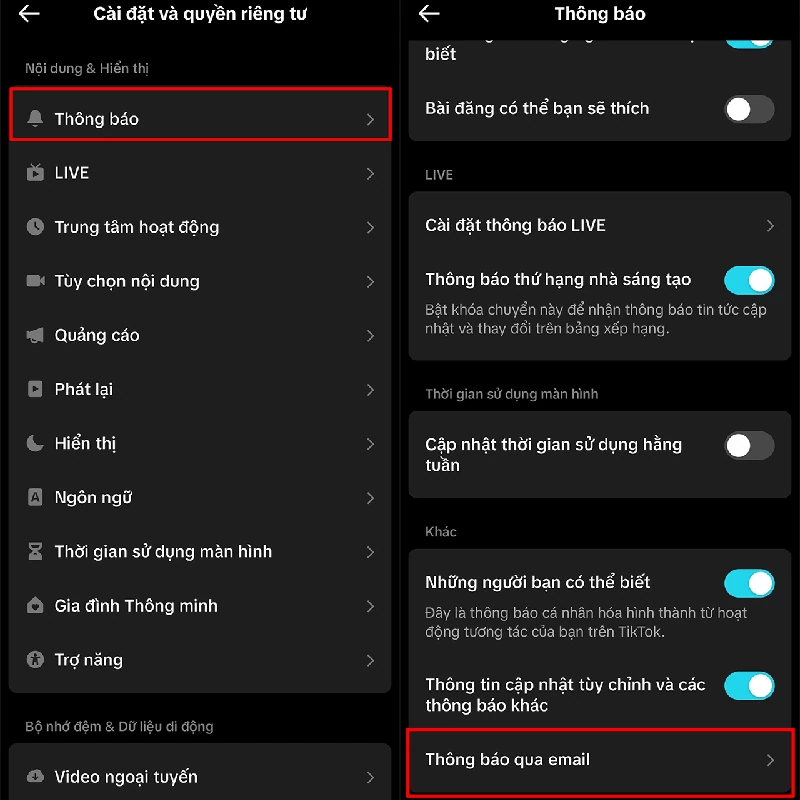
Step 2: Select Notifications > Click on Notifications > Then click on Notifications via Gmail.
 |
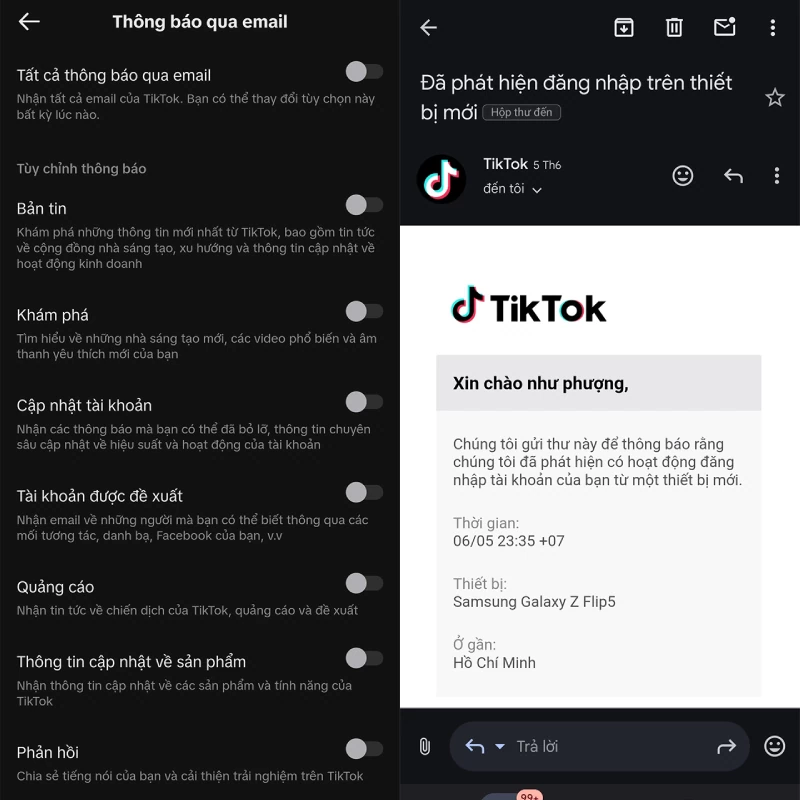
Step 3: Turn off all notifications that you don't want to receive via Gmail. After turning them off, you will still receive security and account permission notifications on Gmail as usual; your notifications will not be affected.
 |



Above are some easy ways to turn off TikTok notifications via Gmail, helping you manage your inbox more effectively and focus on important emails. Hopefully, these instructions will be helpful in solving this problem!
Source: https://baoquocte.vn/tat-thong-bao-tiktok-qua-gmail-sieu-don-gian-va-de-dang-281330.html