
Do you know how to record your iPhone 15 screen? This article will guide you on how to record screen videos on your iPhone 15 with sound, clarity, and in the simplest way!
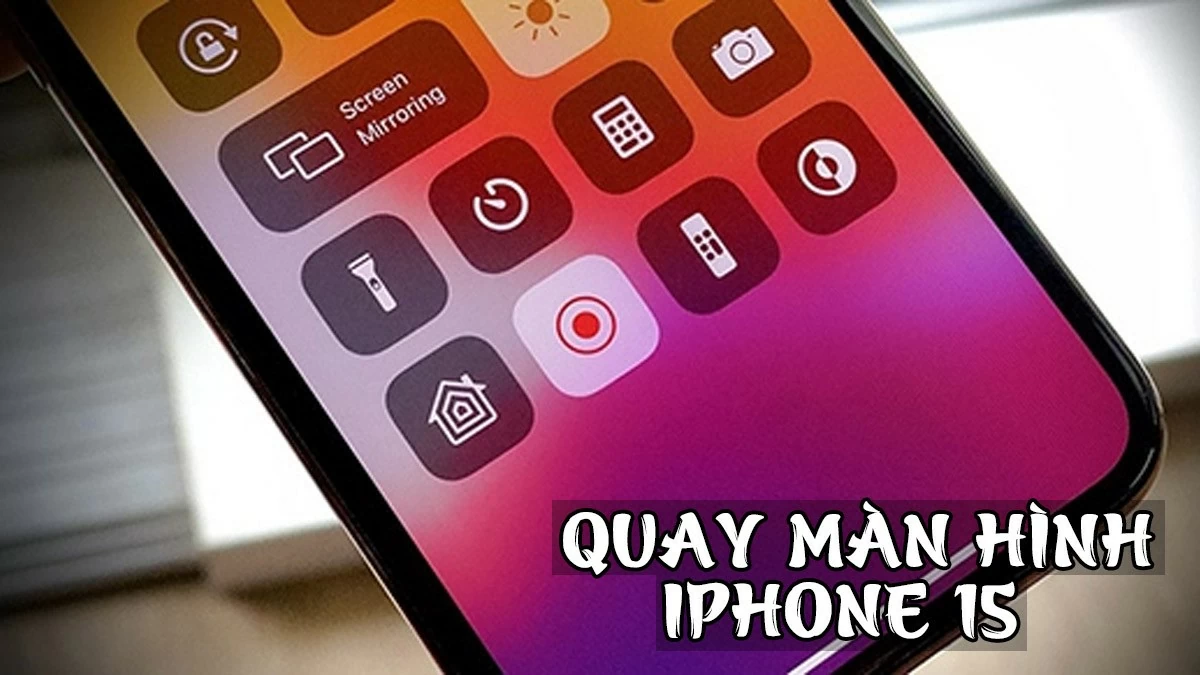 |
Screen recording on the iPhone 15 is a useful feature that allows you to capture all activity on your device, from gaming and app tutorials to sharing important moments. Here are some ways to do it quickly and effectively:
How to record your iPhone 15 (Plus/Pro/Pro Max) screen super fast.
Recording your iPhone screen clearly is very simple using the Control Center. However, you need to add this feature to the Control Center for convenient use.
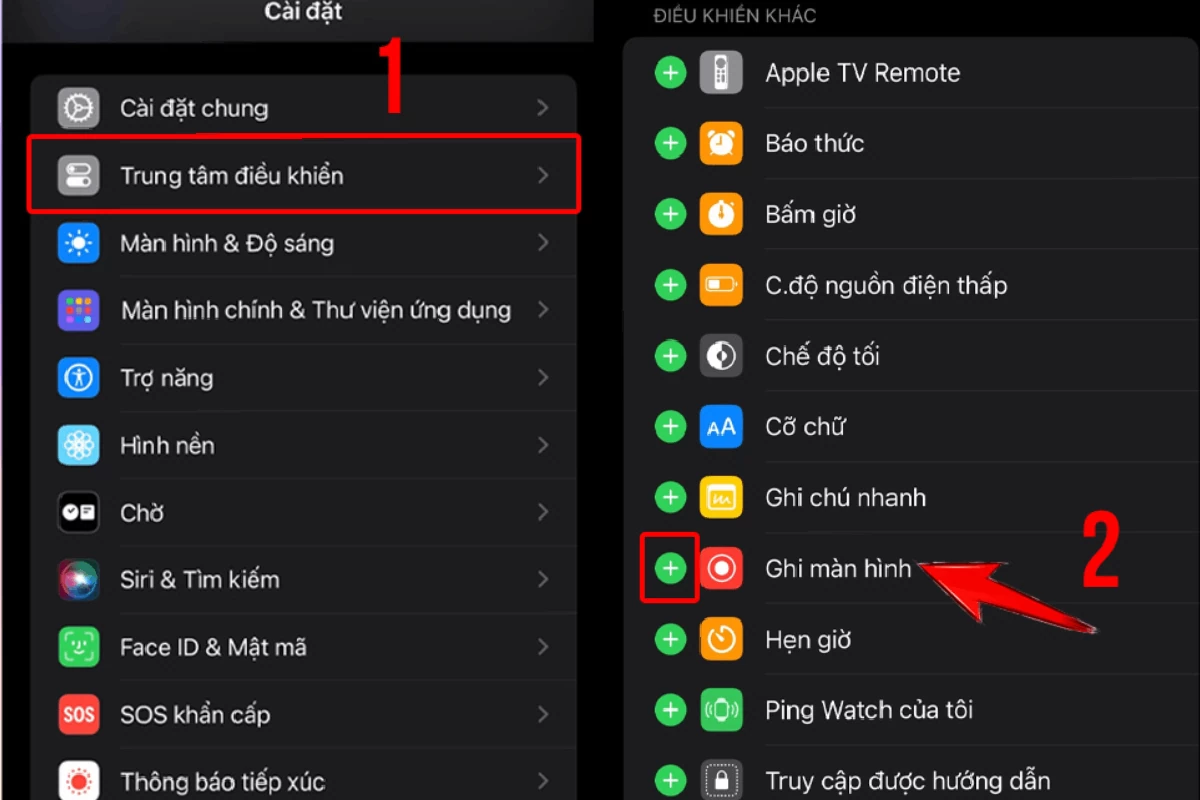
First, open the Settings app on your iPhone. Then, select Control Center . Scroll down and tap the + sign next to Screen Recording to add this feature to Control Center . After adding it, you can easily record screen videos on your iPhone 15.
 |
After performing the above steps, you can start recording your iPhone 15 screen by following these steps:
Step 1: Swipe down from the top right corner of your iPhone screen to open the Control Center .
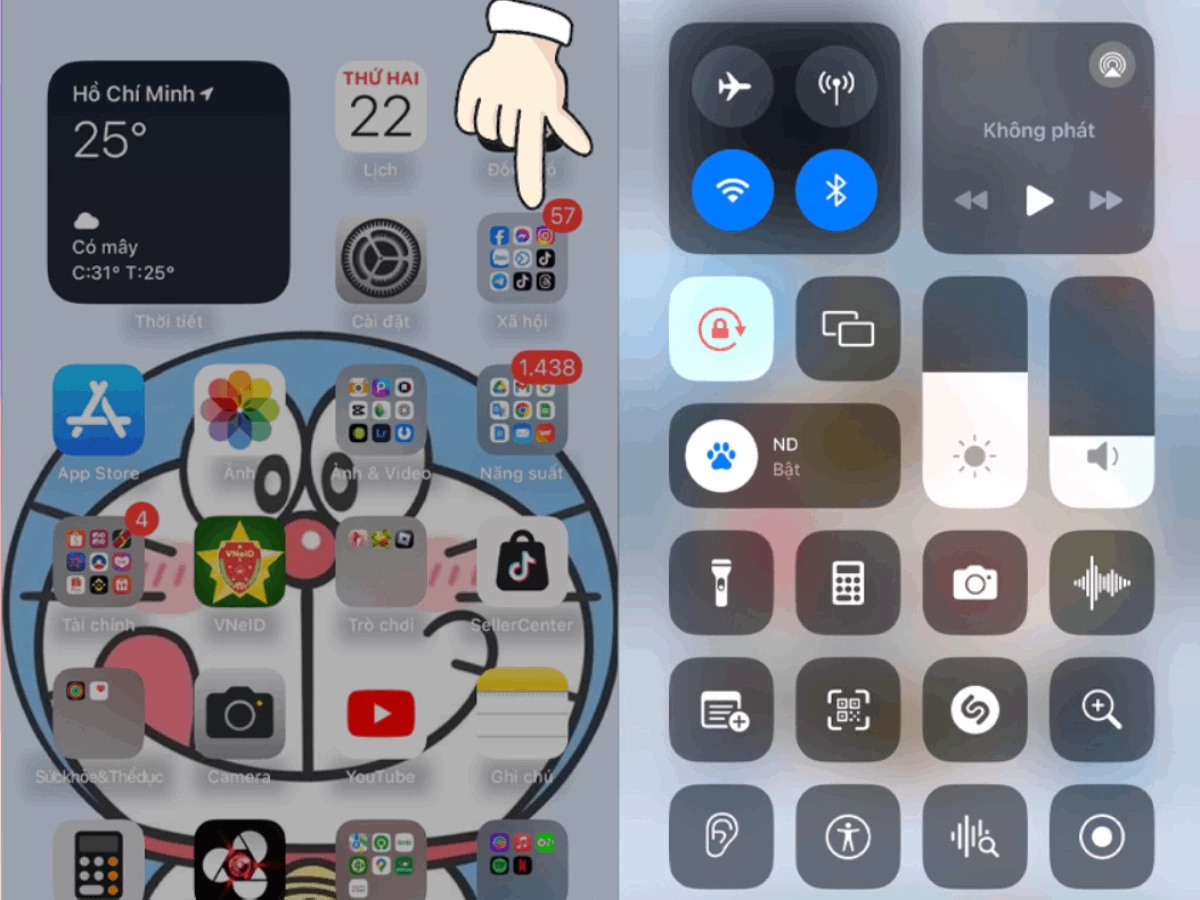 |
Step 2: Next, tap the Screen Recording icon (a circle with a small dot inside). A 3-second countdown will appear, and then the screen recording process will begin. That's how you easily record your iPhone 15 (Plus/Pro/Pro Max) screen.
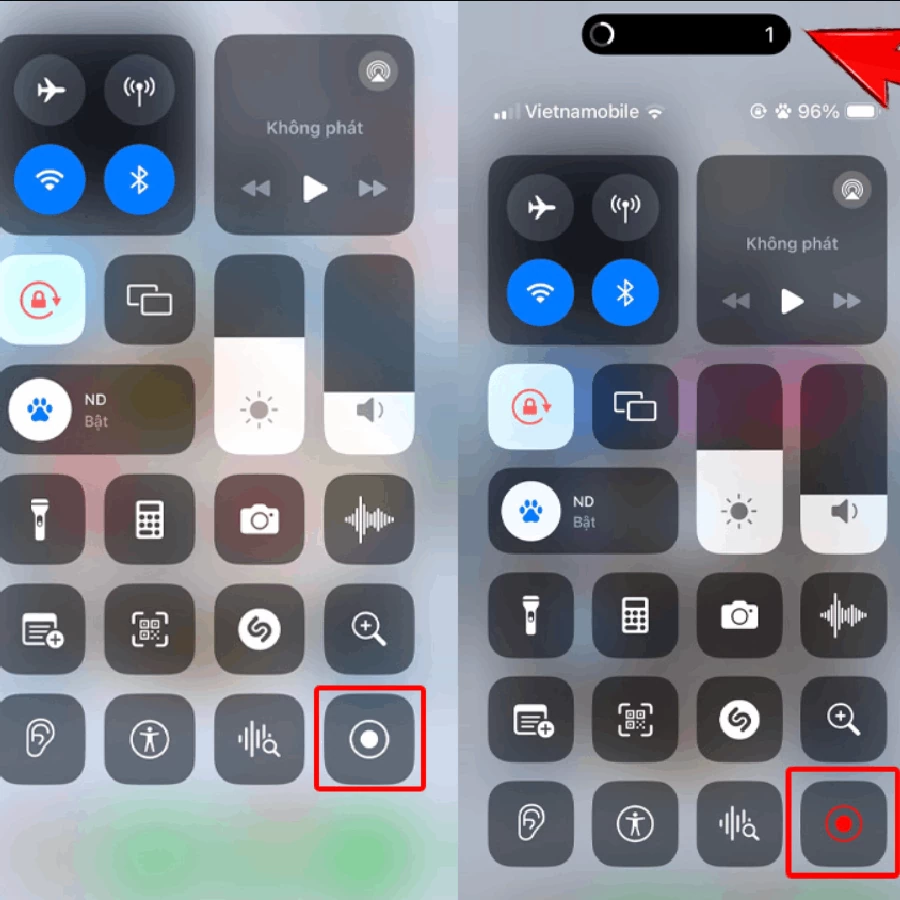 |
How to easily record your iPhone 15 screen with audio.
After recording your iPhone 15 screen, many people wonder why the video has no sound. The reason is that you haven't enabled the audio recording feature. Sforum will guide you on how to easily record your iPhone screen with sound without any difficulty.
Step 1: Swipe down from the top right corner of the screen to open the Control Center .
|
Step 2: Next, press and hold the Screen Recording icon (a circle with a small dot inside) for a few seconds. Then, tap the Microphone icon to turn on recording and select Start Recording . With this guide, you will know how to record your iPhone screen clearly with high-quality sound.



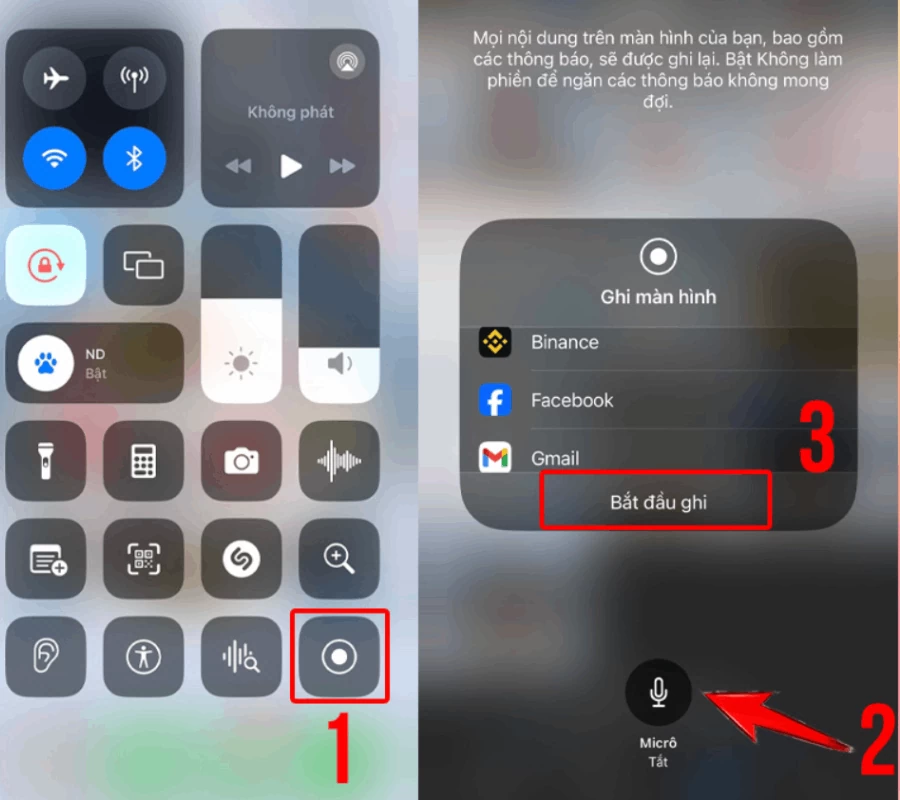 |
To stop recording, tap the red status bar at the top of the screen and select Stop . The screen recording will automatically save to the Photos app. You can easily edit and share the video from there. With this guide, you'll have completed the process of recording your iPhone 15 screen.
This article has guided you on how to record screen videos on the iPhone 15 with clear sound and quality, along with some useful tips. Hopefully, you have mastered how to easily and effectively record your iPhone 15 screen. Take advantage of this feature and apply the tips to create smooth and professional videos.
Source: https://baoquocte.vn/quay-man-hinh-iphone-15-pluspropro-max-vo-cung-nhanh-chong-281608.html